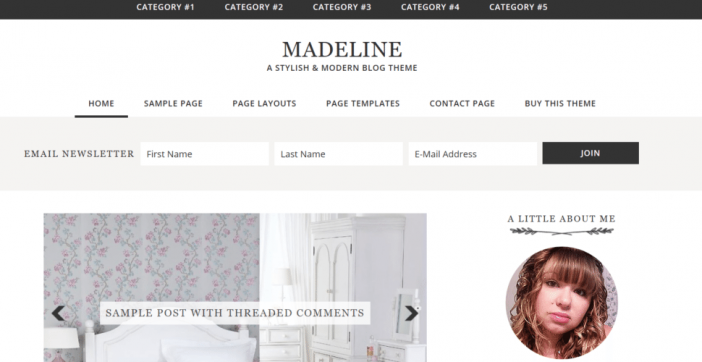
The Madeline theme is a 3rd party Genesis Framework Theme created for Feminine bloggers. This theme is perfect for the everyday savvy, chic blogger.
The homepage has an amazing, minimal look with room for customization. You can find free tips on tweaking this design in our Genesis Framework Tutorials category or by visiting the Official StudioPress Community Forum.
While on the homepage, you have a navigation bar at the very top of this theme followed by your logo image and another navigation bar. This gives you plenty of room to display important pages and categories. The first widget on the homepage should be used for a responsive slider plugin, which is great for linking images to important posts and pages.
Madeline comes with a sidebar, footer widgets, and a great location at the top of the theme for an autoresponder box that appears on every page. Do visit the demo version to explore this theme and see what it has to offer.
Below are the main Madeline Theme Features.
Madeline Theme Features
- HTML5 Markup + Mobile Responsive
- 6 Layout Options
- Custom Background
- Widgetized Homepage
- In Post Navigation
- After Post Widget Area
- 3 Footer Widgets
- Featured Images
Recommended Plugins
- Genesis eNews Extended
- Genesis Responsive Slider
- Genesis Simple Share
- Simple Social Icons
- Ninja Forms
- jQuery Pin It Button For Images
- Alpine PhotoTitle for Pinterest
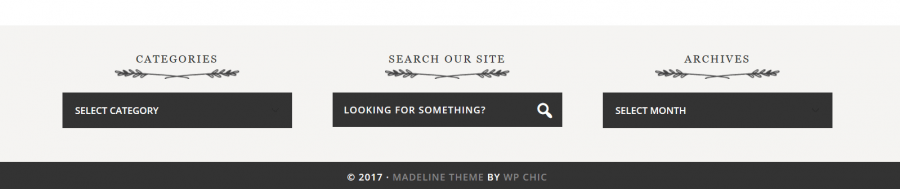
The footer looks great with widgets and special graphics. Here is a preview of the footer area.
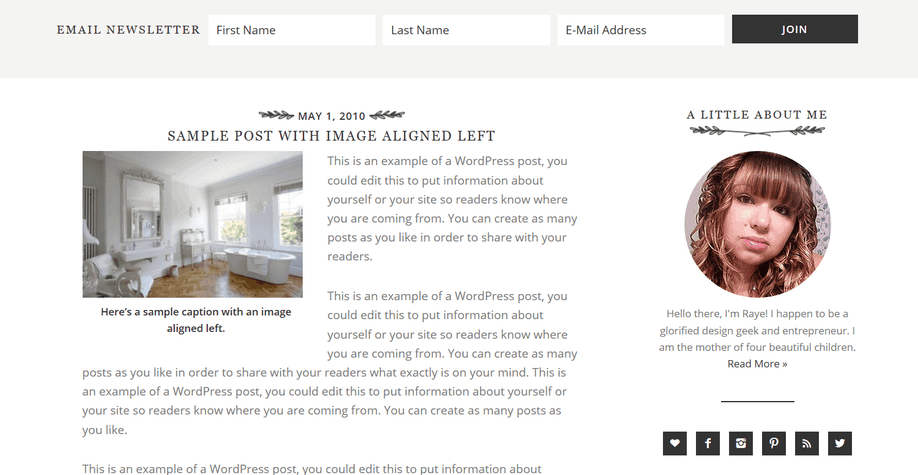
Here is a look at the blog post area.
Don’t forget to check out our plugins page for more awesome add-ons to really make your blog stand out.
Very Important!
Please keep in mind that you will need to have the Genesis Framework already installed on your blog. The cost of the framework is $59.95. This will get you a lifetime membership and free updates for the framework, which is an awesome deal.
If you are a developer, you know you can customize these themes on your own for your clients and add more money to your packaged deals. The Pro Plus StudioPress package is perfect for professional bloggers and developers. Check out the details below.

Need More Convincing?
There are thousands of plugins online to install on your blog but installing all of them is not a feasible thing to do. One thing is for sure is that you need to have a good web host or your blogging career won’t be very successful. Being on the Genesis Framework means there are custom plugins created especially for our community. Have a look at our mega list of Genesis Framework Plugins page to see which ones catch your interest.
If you are new to this whole blogging thing or looking for a little more knowledge? Take a look at our blog post on How To Start A WordPress Blog on the Genesis Framework.
Additional SEO Optimized Child Themes
To find more beautifully designed Themes that run off a different framework, have a look at Tesla Themes. Their themes come with a clean design, powerful features, and free premium support which is most important. Schema Integration included with all themes. Visit Tesla themes to learn more. There “Standard Package” is the best value.
- Recommended SEO Guide: How To Set Up The Yoast Premium SEO Plugin
- Recommended SEO Guide: The WP Meta SEO Plugin: An Alternative SEO Plugin
Reminder
Don’t know how to install a Genesis Framework theme? See our guide on How To Install A Genesis Framework Theme for a step by step guide. You do get a “Theme Settings” page in your admin dashboard with the Genesis Framework installed. The number of settings depends on the theme installed.
A preview:

Submit your reviews of this theme below or share your customized Madeline Theme blog in the comment section.
Please share this blog post with your friends who are in search of a theme.

Leave a Reply