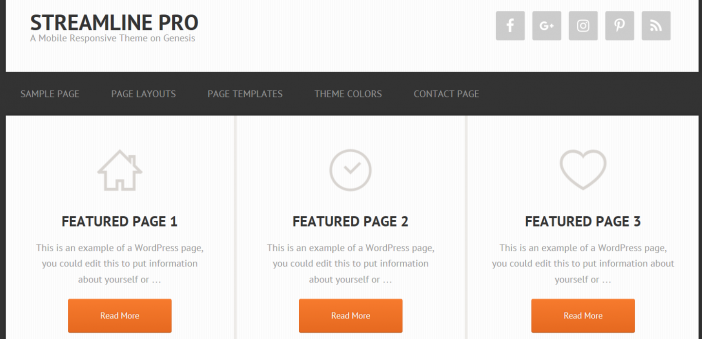
The Streamline Pro theme is a Genesis Framework Theme created for bloggers that provide on online service. However, this theme could be used for any niche if you get creative with it. With three featured widgets on the homepage, you can showcase products and services, or feature your most important blog pages. Getting more visits to these pages may actually help in increasing conversions or leads.
With three featured widgets on the homepage, you can showcase products and services, or feature your most important blog pages. Getting more visits to these pages may actually help in increasing conversions or leads.
Stream Line pro has built-in social media buttons at the top of the page, parallel to the logo image. The Streamline theme looks clean and professional with its minimal design and color combination. You are getting an excellent theme for an affordable price.
Check out the demo version to imagine what you could create with this theme.
Some of the features are:
Streamline Pro Features
- 3 color styles
- custom header
- HTML5 markup
- 3 layout options
- custom menus
- mobile responsive
- custom background
- featured images
- theme options
- layout options
Required Plugins
- Simple Social Icons
- Genesis eNews Extended
With this theme, the featured images are a huge focus. They are large images, so make sure you are using high-quality, finished photos and graphics. Here is an example of a blog post with the featured image.

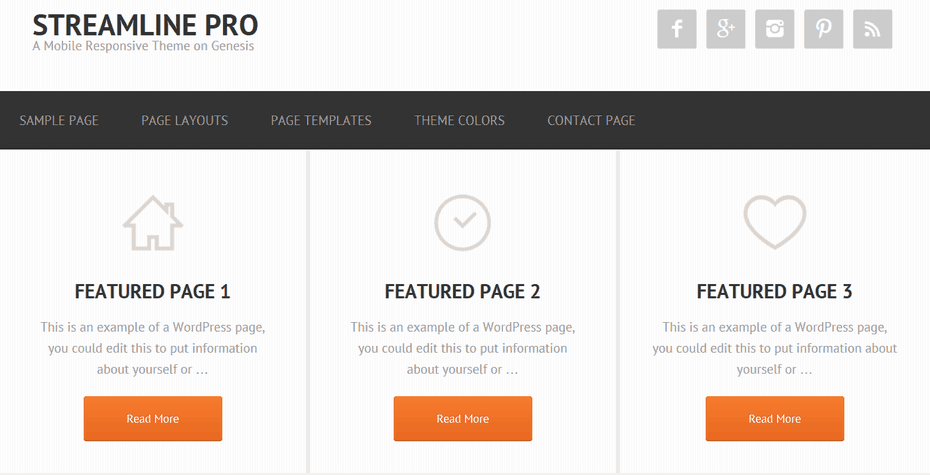
I really like the top 3 homepage widgets. They are great for advertising products or services. Perhaps feature important pages or blog posts each week. Here is a preview of that.
Don’t forget to check out our plugins page for more awesome add-ons to really make your blog stand out.
Very Important!
This theme includes the Genesis Framework if you do not have it already installed. Theme cost is $99.95. Returning customers get discounts. Log-in to your account and view the theme details page.
If you are a developer, you know you can customize these themes on your own for your clients and add more money to your packaged deals. The Pro Plus StudioPress package is the best deal for you.

Need More Convincing?
There are thousands of plugins online to install on your blog but installing all of them is not a feasible thing to do. One thing is for sure is that you need to have a good web host or your blogging career won’t be very successful. Being on the Genesis Framework means there are custom plugins created especially for our community. Have a look at our mega list of Genesis Framework Plugins page to see which ones catch your interest.
If you are new to this whole blogging thing or looking for a little more knowledge? Take a look at our blog post on How To Start A WordPress Blog on the Genesis Framework.
Theme Setup
It’s easy to get this theme up and rolling without hiring any outside help. This tutorial is broken down into step by step segments for even novice bloggers.

Additional SEO Optimized Child Themes
To find more beautifully designed Themes that run off a different framework, have a look at Tesla Themes. Their themes come with a clean design, powerful features, and free premium support which is most important. Schema Integration included with all themes. Visit Tesla themes to learn more. There “Standard Package” is the best value.
- Recommended SEO Guide: How To Set Up The Yoast Premium SEO Plugin
- Recommended SEO Guide: The WP Meta SEO Plugin: An Alternative SEO Plugin
Reminder
Don’t know how to install a Genesis Framework theme? See our guide on How To Install A Genesis Framework Theme for a step by step guide. You do get a “Theme Settings” page in your admin dashboard with the Genesis Framework installed. The amount of settings depends on the theme installed.
A preview:

Submit your reviews of this theme below or share your customized Streamline Pro Theme blog in the comment section.
Please share this blog post with your friends who are in search of a theme.

Hello,
The reason for this comment is to ask you for advice on a topic that is delaying the launch of my website. It turns out that in the mobile and responsive version of the web (that use the Streamline theme), when you open the pull-down menus the letters appear in a light grey on orange background, something very difficult to read. I’ve tried to find the CSS to modify it and nothing. I don’t know where the CSS of the mobile version is, apparently in the main block of code of the web is not. I have tried with more than ten plugins to modify the appearance of my web in mobile devices and tablets with a resounding failure (I would also like the logo of the mobile version to be another).
In short, the topic is devouring my hours, delaying the launch of the site and bringing me frustration. Any advice you can give to me is welcome. Thank you so much for your time and attention.
Greetings.